AI Portfolio Builder
Paste your CV, get a portfolio on your own address.
Take the tour
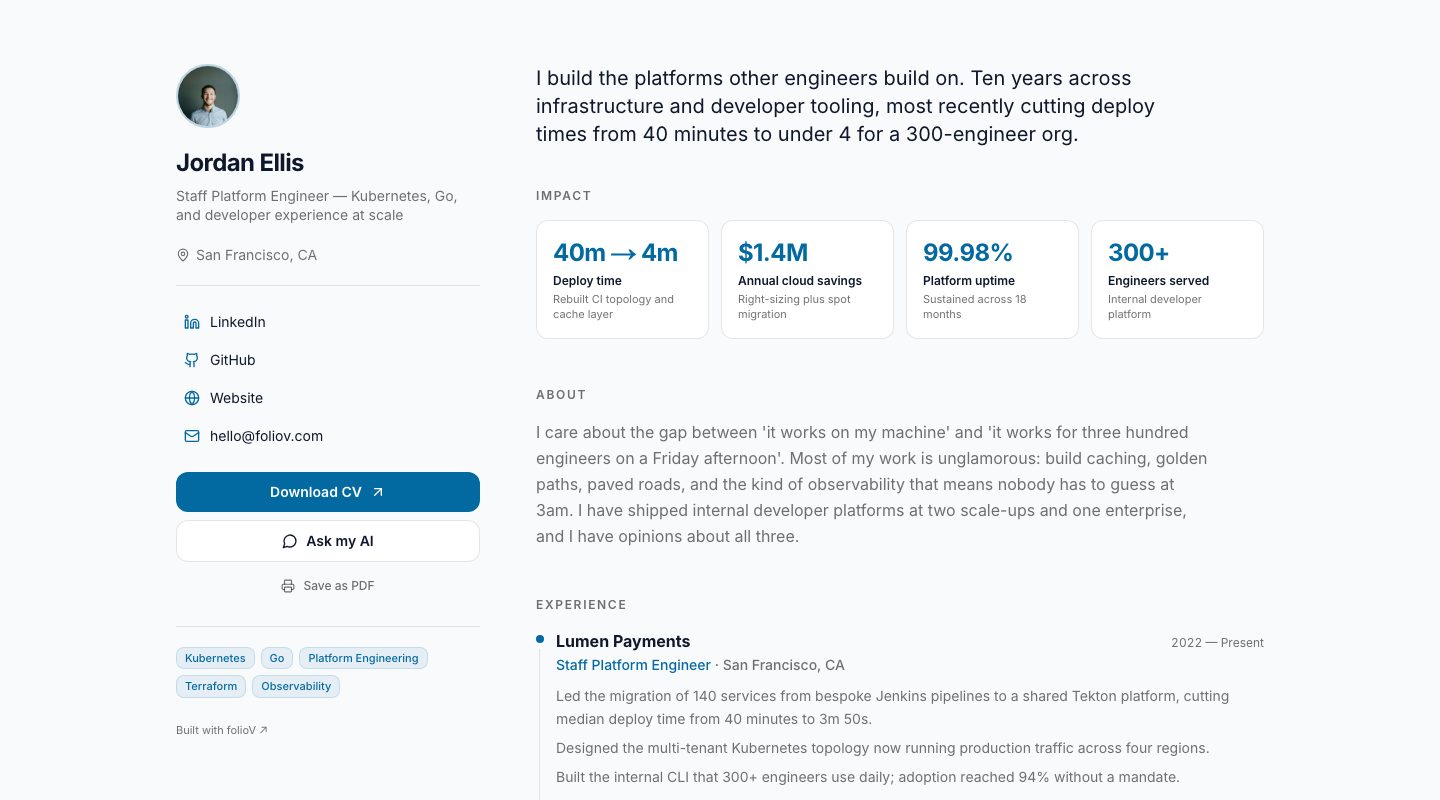
A real portfolio template, shown with an example profile.
What you get
From CV to live page
Upload or paste your CV and the content is filled in for you: roles, impact, skills, links. You edit, you do not start from a blank page.
Templates with a point of view
Dossier for applications, Atlas as an all-rounder, Atelier for senior and consulting roles, Prism for product and design, Signal for engineers. Same content, different room.
Your own address
Publish to yourname.foliov.com. Share one link on your CV, LinkedIn and email signature.
How it works
- 01
Add your CV
Paste it or upload a file. folioV reads it into sections you can edit.
- 02
Choose a template
Preview your own content in each design, in light or dark, before you commit.
- 03
Publish
Pick your address and go live. Change the template any time; your content stays.
Questions
Do I need to design anything?
No. You choose a template and a colour scheme; layout, type and spacing are handled.
Can I change the template later?
Yes. Every template renders the same content, so switching never means rewriting.
Where does my portfolio live?
On yourname.foliov.com. Pick the name when you publish.
Is the person in these screenshots real?
No. Jordan Ellis is an example profile, so you can judge the layouts on realistic content.